
A smart kitchen pass helps you keep service clear and calm by giving staff one steady handoff point with open sightlines, good light, and simple storage. You should place it where plates, tickets, and status updates move fast, ideally 3 to 4 feet wide, so cooks and servers don’t crowd each other. Add KDS updates, labels, and clean reset zones, and you’ll cut missed notes, speed turns, and keep the whole team in sync as you see more ideas.
Key Takeaways
- Create one clear handoff point between kitchen and front-of-house to reduce confusion and missed orders.
- Keep the pass 3 to 4 feet wide so plates and tickets move easily without crowding staff.
- Use open sightlines, glass shelving, and good lighting so teams can read plates, notes, and status quickly.
- Link the pass to POS or KDS updates with real-time labels for sent, cooking, plated, and ready orders.
- Place dish return, clean plate storage, and station tools beside the pass to streamline movement and communication.
What a Kitchen Pass Should Do
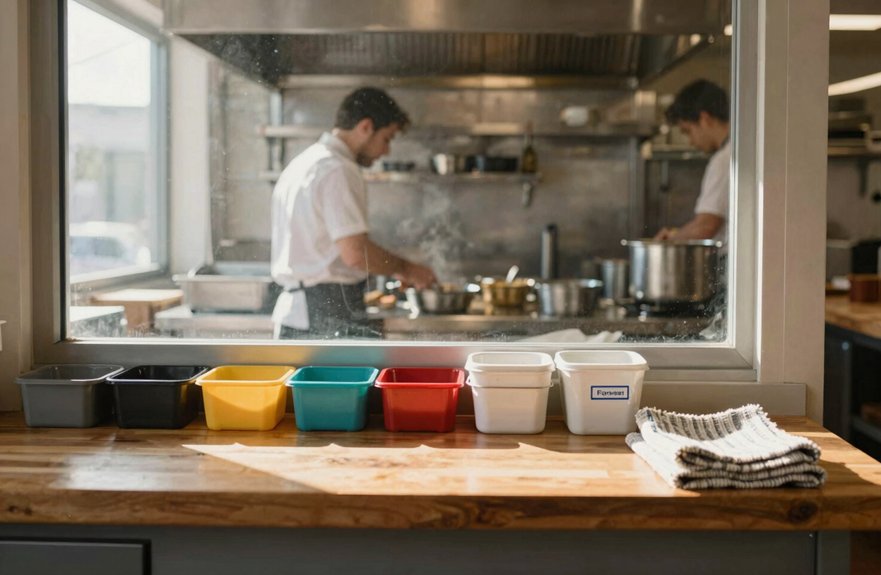
A well-designed kitchen pass should do more than just move plates from one side to the other, because its main job is to help the kitchen and front-of-house team hand off orders quickly and accurately while keeping service calm and steady.
You should give it enough opening space, often 3 to 4 feet in smaller kitchens, so plates can travel easily without weakening the wall.
A pass-through can also make your kitchen feel bigger by opening sightlines and letting in more light.
Choose wood, metal, or drywall framing to keep the area clean and simple.
Add slim storage above the pass, use Order labeling systems, and run staff training drills so you cut extra steps, stay organized, and keep control without feeling boxed in.
Why Kitchen Pass Design Improves Communication
When you design a kitchen pass well, it becomes more than a simple opening, because it gives your front-of-house and back-of-house teams a clear place to share orders, check details, and move food without confusion.
You Reduce Order Confusion by creating one steady handoff point, so staff don’t have to guess or play telephone.
Good light and open sightlines help you see what’s ready, what’s missing, and what needs a quick fix.
A pass that’s about 3 to 4 feet wide keeps traffic moving smoothly, without crowding your crew.
Glass trim, shelves, or shutters can still keep things visible enough for Faster Team Feedback, so you catch changes fast.
That means fewer delays, fewer missed notes, and more freedom to run service your way.
Choose the Best Pass Location
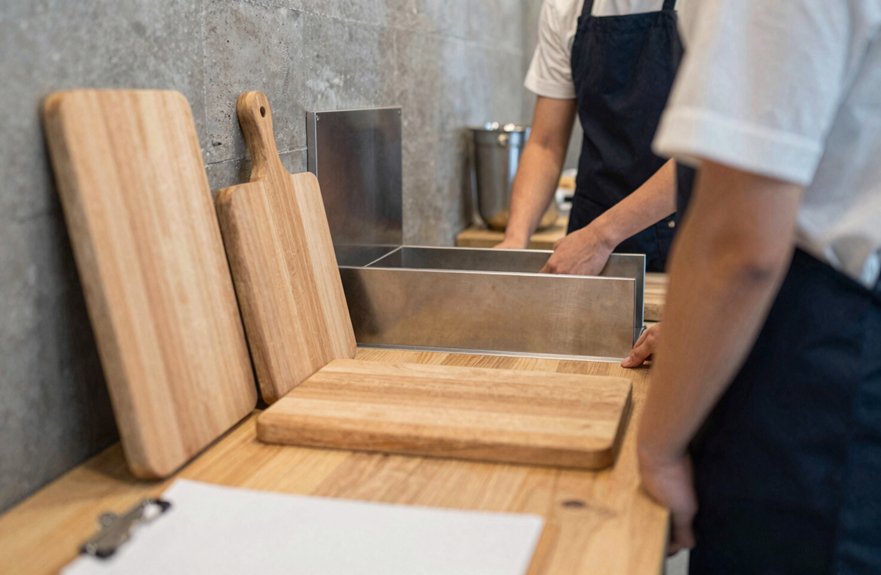
Place your pass where your team actually works, not where it just fits on a plan. Put it between the host stand or server station and the prep or plating area, so orders move once, not three times.
That setup supports Shift handoff clarity and keeps missed modifiers from slowing you down.
Aim for a pass about 3–4 feet wide, which gives you room to move plates, tickets, and checks without bumping elbows like you’re in a hallway race.
For smooth freedom in service, place it near the dishes about to be plated, and, if you use a KDS or POS, anchor it by the busiest prep station it serves.
Smart Prep station mapping helps your team act fast, follow one chain of command, and keep peak-hour updates steady.
Keep the Pass in Clear Sightlines
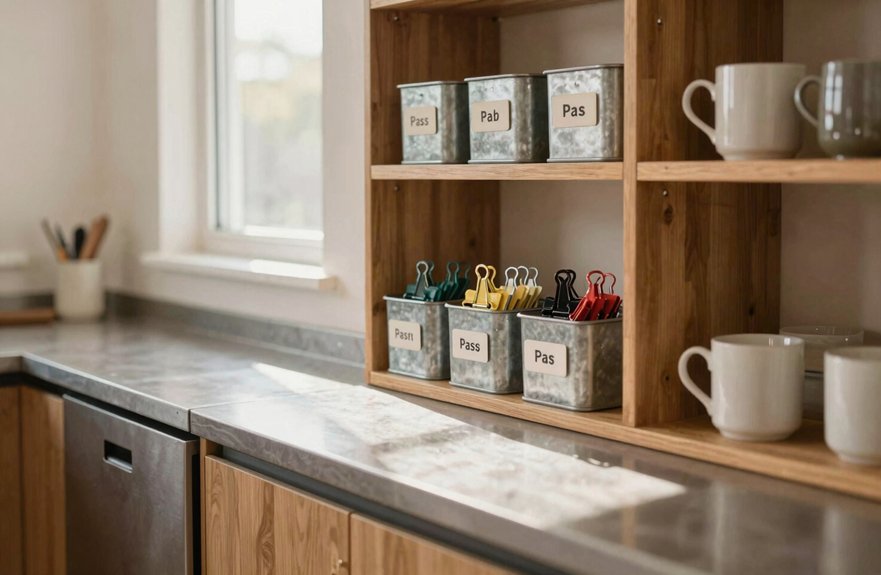
You want the pass where both kitchen staff and FOH can see each order and handoff at a glance, with no tall shelves, clutter, or partial walls breaking that direct view.
Keep the opening simple with slim glass shelving or an open frame, so you still get a bit of storage without blocking sightlines.
When the area stays clear, well lit, and easy to read, your team can move food through faster and avoid those small mistakes that cause bigger delays.
Direct Visual Access
A clear line of sight can make the kitchen pass feel a lot less hectic, because both front-of-house and back-of-house staff can see what’s coming, what’s plated, and what still needs attention without stopping to ask.
You keep orders moving faster when you choose slim, transparent details, like glass shelving or bi-fold shutters that only close when you need them.
Add focused pendant lighting so tickets stay readable during rushes, and use glove friendly surfaces that wipe down fast when the pace picks up.
Visible order timers help everyone track progress at a glance, so you can stay free from constant check-ins.
When the pass also lines up with plating space, you spot mix-ups early, protect table flow, and keep service calm, quick, and in your control.
Unobstructed Service Paths
When the service path stays open and easy to read, the whole pass feels calmer, because servers and runners can move through without slowing down the kitchen or blocking the view of what’s being plated. You should keep the opening wide and tall enough for quick handoffs, but not so crowded that people hesitate.
Place slim or glass-front storage nearby, so you don’t lose that line-of-sight freedom during a rush. Use clean wood or metal framing, minimal trim, and bright task lighting to help tickets and labels stay clear.
Clear signage cues can guide movement, while traffic flow mapping helps you place the pass where feet and eyes naturally go. When you protect these pathways, you cut confusion, reduce chatter, and keep service moving with a lot more ease.
Build a Smooth FOH-to-BOH Flow
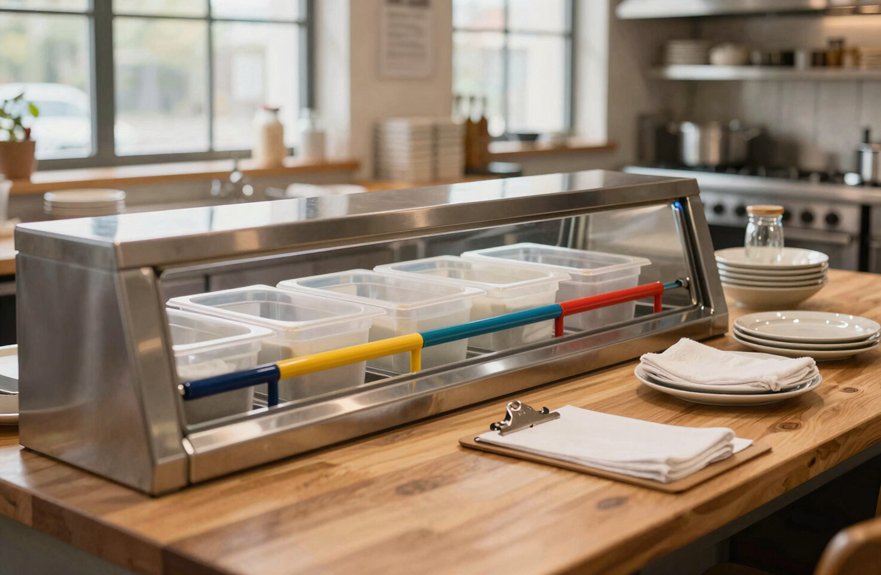
You can keep FOH and BOH moving smoothly by placing the pass-through where orders naturally change hands, so your team can confirm each ticket quickly and keep service on track.
Make sure you pass along the full order, including modifiers and allergy notes, then use a quick read-back so nothing gets lost in the rush.
A single point person, plus real-time POS or KDS updates, helps everyone stay in step and prevents the kind of mix-ups that slow down a busy shift.
Clear Order Handoff
To keep service moving smoothly, use the kitchen pass as one clear handoff point where FOH sends every order into the kitchen, so your team isn’t relying on a chain of people repeating the same message.
You’ll cut confusion, speed up Faster ticket routing, and give every cook one place to check before they start.
Place tickets, plates, and station tools right at the pass, so nothing sits in limbo.
Use a simple read-back for the Allergen confirmation protocol, along with substitutions and special requests, because one missed detail can trigger a remake and slow the whole room.
When you design the pass for quick pickup, you help your team work with more freedom, less waiting, and a cleaner flow from front to back.
Real-Time Status Updates
Real-time status updates keep the kitchen pass from becoming a guessing game, because everyone can see what’s happening right now instead of waiting for someone to run a message across the room. You can connect your KDS to your POS to speed up order updates, route tickets by station, and reduce bottlenecks before they snowball. Use clear status labels, then one FOH relayer can confirm changes without chaos.
| Status | Meaning |
|---|---|
| received | order is in |
| in prep | staff is cooking |
| plating | dish is being finished |
| held | wait for timing |
| priority | rush it now |
For specials and allergens, read back the note, then confirm it. During peak hours, headsets help BOH answer fast, so you reset tables with confidence and keep service free-flowing.
Use the Pass as a Collision Zone
When the kitchen pass sits in a high-traffic spot between the front and back of house, it can become a natural collision zone where quick handoffs and fast confirmations happen without slowing service down.
You can turn it into a communication hub by placing it along your main workflow path, so orders get checked, relayed, and cleared before they cause a bottleneck.
Create feedback loops with a small pause point where you and your team can ask, answer, and move on fast.
Use digital screens to keep updates visible, and add slim shelving or a narrow hatch so people can approach freely without blocking traffic.
This setup invites brief, useful contact, keeps tables turning, and helps your crew stay in sync, even when the room’s buzzing.
Add a Coffee Bar for Quick Chats
If your kitchen pass already works as a busy handoff point, adding a slim coffee bar nearby can make those quick exchanges feel even more natural.
Place it in a high-traffic collision zone, between key work areas, so you and your team bump into each other for fast updates instead of wandering down dead-end corridors.
Keep the setup compact, and remove sightline blockers so people can spot each other easily.
Add task lighting, a calm vibe, and a small ledge or seat for stop-and-chat moments that won’t jam the pass-through path.
A few pods, filters, and timed restock alerts help keep it ready without extra hassle.
If you tuck in a simple grab item or two, you’ll also make the space feel welcoming, not just useful.
Set Up Grab-and-Go Snack Stations
Place your grab-and-go snack station in a busy spot along the kitchen pass path, where FOH and BOH staff naturally cross paths, because that makes quick updates and friendly check-ins easy.
Stock it with clear, pre-portioned snacks, and keep extra supplies right beside the station so restocking stays smooth and doesn’t slow down service.
Add simple labels, allergy icons, and “ready-to-take” signs, and you’ll cut down on repeat questions while helping everyone know what’s available at a glance.
Quick Access Placement
A smart snack station can do more than feed your team, it can help the kitchen stay connected and moving. Use staff pathway mapping to place it on the main flow between FOH and BOH, so you can grab, refill, and trade quick updates without breaking stride. Keep snacks, napkins, and utensils within 4-9 feet of your busiest access points, and store to-go items nearby. That free and easy setup feels like a win:
| Item | Placement |
|---|---|
| Snacks | Main path |
| Napkins | Reach zone |
| Utensils | Reach zone |
| Containers | Beside station |
| Lighting | Soft, task-friendly |
Add collision point lighting that feels warm, not harsh, and your snack zone becomes a calm crossroad. You’ll spark quick check-ins, cut bottlenecks, and keep your team moving freely.
Clear Restock Signals
When your grab-and-go snack station sits in a busy collision zone between departments, restock needs become easy to spot, and that helps both teams stay in sync.
You can use efficient signage planning to label each bin with simple names, reorder points, and low-stock colors, so nobody has to guess.
Add visible low stock tags, empty-bin inserts, or a restock-now QR code, and you’ll turn every depleted shelf into a clear signal.
Keep the station near the storage and refill area, close to your working triangle flow, so you can replace items fast and stay free from bottlenecks.
Since free food draws people in, steady supply keeps energy up and teamwork strong, with fewer “Who took the last granola bar?” mysteries.
Keep Reusable Utensils Within Reach
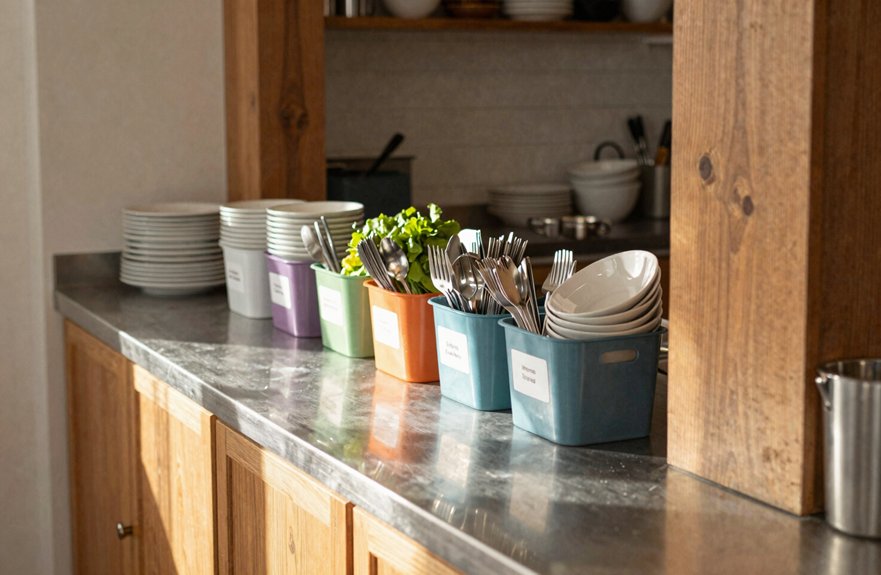
Just inside the pass-through, keep reusable utensils in a clean, well-labeled caddy at grab height so your front-of-house team can reach spoons, tongs, spatulas, and ladles fast without heading back to the main kitchen.
Set this daily-use zone by the dish and prep area, and you’ll cut delays that can spark mistakes.
Choose durable, dishwasher-safe bins, then keep a tight FIFO restock cadence, with freshly cleaned tools at the front and in-use items separated.
Add utensil handle coding or small rings beside the pass, so your team can spot the right tool at a glance, even during a rush.
When every utensil returns to the same bin after plating, you protect flow, reduce lost items, and keep service free from needless friction.
Use Standing Tables for Fast Check-Ins
Set a standing-height pass-through table, about 42–48 inches tall, right at the kitchen-service junction so your servers and cooks can make quick face-to-face check-ins without slowing down for a full meeting. Use it for short “micro-cadence” updates like “sent,” “all set,” and “modifier confirmed,” so your service workflow stays smooth and orders don’t stall.
Add a clear status system, such as colored ticket holders or a KDS-linked display, and you’ll cut guesswork fast.
Keep the area uncluttered, with room for single-serve movement, so it supports clean table resets instead of bottlenecks.
Place it near the shift lead, and you can resolve tricky guest notes right away.
This setup works well no matter your seating layout, and it keeps utensil storage from crowding the pass.
Add Flexible Seating Near the Pass
You can add flexible seating near the pass to create a quick handoff spot, where FOH and BOH staff can check details face to face without breaking the flow. Moveable benches or light stools give you a flexible staging space for brief pauses, while keeping the main service path clear and easy to follow.
With the seating placed in a busy handoff area, you help cut down repeat relays, speed up communication, and keep orders moving smoothly.
Quick Order Handoff
Near the pass, a few flexible stools or small café chairs can make a big difference in how smoothly orders move from the kitchen to the dining room.
You can place them within arm’s reach, so FOH and BOH staff confirm modifiers, timing, and status without drifting from their stations. That quick face-to-face check-in helps you Reduce Remake Errors and keep a Faster Status Sync when tickets change fast.
Set the seating in the busy path between teams, where a short pause feels natural, and add a small perch for delayed KDS or POS orders.
Soft lighting keeps talks easy, while movable seats let you expand during rushes and reset later.
It’s a simple setup, but it keeps handoffs calm, clear, and nicely under control.
Flexible Staging Space
By adding flexible seating right beside the pass-through, you give servers and kitchen staff a simple place to pause, check in face-to-face, and clear up details while dishes are still staging.
A small bench, swivel chairs, or a modular banquette lets you keep the pace steady without forcing extra walk-backs.
Place the seats in that busy collision zone, where quick clarifications can stop wrong modifiers and missed tickets before they spread.
Add soft task lighting overhead so short huddles feel easy, even during a rush.
Keep a small counter nearby for trays, and use label tray zones plus colored cue cards to sort items fast.
You’ll protect your freedom to move, think, and serve with less friction and more confidence.
Clear Service Pathways
At the pass, a few slim seats can make a big difference in how smoothly service runs.
Place two to four stools, or a small banquette, right beside the handoff area so you can confirm orders, ask quick questions, and pass along special requests without leaving the communication line.
Keep this seating off corners and dead ends, so you can pause for menu labeling checks, allergy reminders, and clear read-backs without blocking traffic.
Set it within the service triangle, near the sink, fridge, and pass, with just enough space to stay open during rushes.
Add a small chat zone with outlets if you can, and use warm lighting so short updates feel easy, not forced.
Install Outlets in Informal Zones
When you place outlets in informal “stop-and-chat” zones, you make it much easier for staff to handle quick order questions, shift updates, and POS tasks without slowing down kitchen traffic. Add at least one outlet near each seating nook or coffee spot by the pass, so your team can handle phone charging, menu referencing, and quick staging without hunting for a “tech” corner.
Pair those outlets with task lighting, and you’ll help people read notes, check allergens, and confirm orders fast, even during a rush. Keep cords tucked away so they don’t clutter the path or create trip hazards, and you’ll keep the flow open while giving your crew more freedom to connect, solve problems, and move on.
Create Clear Paths Around the Sink Area
Keeping the sink area open and easy to move through helps your team stay fast, calm, and in sync, especially during a busy rush.
You can build that freedom by creating a working triangle between the sink, fridge, and microwave or oven, with about 4 to 9 feet between each point.
Keep the dishwasher and dish-drop path close, so dirty-to-clean flow stays direct and nobody cuts across traffic.
Use a single looped walk path around the sink instead of long corridors or dead ends, and keep soap, towels, and filters in a tight sink zone.
These Workflow bottleneck fixes keep people moving.
Good Staff signage placement can point to a stop-and-chat corner nearby, where quick talk happens without clogging the lane.
Keep Dish Returns Close to Use Points
Because speed matters during service, place your dish-return station right next to the pass-through so servers can drop plates and bowls the moment they’re done, instead of carrying them across the room and slowing the line.
You’ll keep your workflow free and easy by lining the return area up with the sink and fridge, which supports smart material flow planning and cuts down on backtracking.
Stage clean plates, cutlery, and napkins beside that same spot, so you can reset fast without extra trips.
A clear drop zone, then rinse or wash lane, keeps everyone on the same page, and color-coded bins or status labels help you spot what’s ready.
Those staff cross training benefits make it simpler for anyone to jump in and keep returns moving.
Reduce Bottlenecks With Smart Layout
To keep your kitchen pass running smoothly, place it inside a clear working triangle, with the sink, fridge, oven, or nearby prep points set about 4 to 9 feet apart so movement feels natural and staff aren’t forced into stop-and-start trips.
You’ll cut bottlenecks when you guide dishware and pickups toward the same opening, because one-way Traffic flow keeps people from crossing paths in a hurry.
Choose a pass that’s about 3 to 4 feet wide in smaller kitchens, so hands move fast without a squeeze.
Add narrow storage right under the pass for tools, and build Restock planning into that spot, so you’re never sending someone on a treasure hunt.
Keep a tiny chat zone nearby, but separate, and your team can connect without clogging the lane.
Speed Up Order Updates
You can speed up order updates by using a Kitchen Display System linked to your POS, so every change reaches the back of house right away instead of waiting on paper tickets or word-of-mouth handoffs.
When you set clear real-time status labels like sent, being cooked, plated, ready, and served, your team can track each meal at a glance and cut down on mix-ups.
You’ll also move faster when the system sends prep notices by station and priority, because the right people can act on the right order without a lot of back-and-forth.
Real-Time Status Updates
When every second counts, real-time status updates can keep your kitchen pass running smoothly and your service team in sync. You use a KDS tied to your POS, so orders hit the pass in real time, not as messy paper scraps.
That gives you chef workflow visibility and keeps modifier accuracy reminders right where your team needs them, without extra chatter.
When screens are sorted by station and priority, everyone sees the next move fast, and FOH can relay updates with confidence, not guesswork.
- Show status tags like being cooked, at expo, ready, or delayed.
- Check the KDS at handoff before you send the next table’s mods.
- Let special requests travel instantly, so you avoid wrong plates and waste.
Clear Prep Notifications
Clear status updates only work if prep teams can see them fast, so a kitchen pass-through with a digital indicator or KDS helps every station know what’s ready, what’s in progress, and what’s delayed without waiting for someone to call it out.
You can link it to your POS, and special requests move straight through, including allergen labeling, so you cut mistakes before they slow service.
Set up prep ticket routing by station, then use visual priority queues to surface the most urgent plates first.
Add delay alert thresholds, too, so the screen flags aging tickets before the rush turns messy.
With one shift lead or GM owning the updates, you keep messages clear, fast, and conflict-free, giving your team more control and your guests a smoother experience.
Improve Table Turnover With Better Pass Design
A well-designed kitchen pass can speed up table turnover by turning the handoff between the back of house and the front of house into a smooth, reliable routine. You can use a 3–4 foot pass-through as your main handoff zone, so plates, tickets, and late notes move fast without extra trips.
When FOH can see a dish’s almost ready, you cut remakes and keep courses flowing. Pair that with POS or KDS updates, and you won’t wait on hidden delays.
Add a clean reset spot with room for empty plates and next-course trays, and you’ll stay free to move.
- Choose a serving-hatch or bi-fold style
- Keep clutter low with utensil storage
- Use soundproofing solutions to soften noise
Stop Miscommunication Early
A smooth pass does more than speed up service—it can stop small mistakes before they turn into remakes, delays, or unhappy guests.
You can use a 3–4 foot pass-through to keep Order Verification quick and visual, so FOH catches issues before plates leave the line.
Make Allergy Readback a habit: repeat every modifier and allergy detail to BOH, and you’ll cut costly errors fast.
A digital KDS/POS screen helps too, because status updates stay clear when tickets get messy or vanish.
Add Noise Reduction with a simple shutter or serving hatch, and you’ll hear each other better during busy rushes.
Keep one point of contact at the pass, usually a shift manager, so you get Faster Clarification without crossed wires, confusion, or extra apologies.
Make the Pass Easy to Clean and Reset
When the rush ends, the pass should reset just as fast as it served, which means every surface needs to wipe down easily and every item needs a simple place to go. Choose sealed stainless steel or impact-resistant laminate, because smooth, non-porous finishes cut grease fast and make grease trap maintenance less of a chore.
Give plates a flat landing zone with few seams, so food doesn’t hide and slow you down.
- Add removable catch trays or liners for drips.
- Use quick utensil storage in slim drawers below the pass.
- Pick glass shelves or shutters you can remove without fuss.
With these choices, you can clear the pass, reload supplies, and keep your station open, calm, and free to move.
Kitchen Pass Design Ideas That Keep Teams Connected
To keep your kitchen pass working as a true team hub, place it where people naturally cross paths, because high-traffic visibility makes check-ins happen without anyone having to stop and ask.
Mount a digital KDS or POS screen nearby, so order changes stay clear for both sides.
Keep the pass about 3 to 4 feet wide, then add slim storage above or below to stop bottlenecks.
Use sliding shutters or bi-fold dividers, and let your team see prep when it helps, but hide the mess when it doesn’t.
A small coffee or grab-and-go spot can spark quick conversations, since people connect faster when they’re relaxed.
Build these choices into staff training routines and menu labeling consistency, and you’ll keep your kitchen connected without losing your sense of freedom.